Archive for 'technology'

The Usefulness Of Twitter

Ok, I’ll admit that I was a bit unsure of the actual usefulness of Twitter, but a couple months ago I figured I’d give it another shot, and it’s been growing on me. The first thing about it that struck me was how incredible it was to follow the Iowa caucuses via Twitter. People who were actually taking part in the caucuses were reporting in real-time on what was being said in the caucuses, and it made it clear that there was a real groundswell of support for Obama. What was most amazing was contrasting that to CNN, which reported a statistical dead heat between the three leading candidates quite late into the night, before Obama’s sizable lead emerged. Yet, watching the real-time reports via Twitter, it seemed clear that there was strong Obama support. That’s only one data point, but it was kind of neat.

Now, a second useful Twitter example. I’m not sure how long ago, but a while back I became an email acquaintance with Whitney McNamara. I’m not sure when/how it happened. I think he may have commented on Techdirt a few times with pretty intelligent thoughts, or maybe sent in some stories/feedback. Just a couple weeks ago, he started following me on Twitter, and I started following him as well. Last week, he mentioned that he was going to Mamoun’s Falafel for lunch with his Dad, which set off a wave of nostalgia for me. I love Mamoun’s. Back in high school, Yuval and I used to go visit record stores in the Village and get Mamoun’s for lunch. It was a pretty regular ritual. I do still try to go to Mamoun’s whenever I’m in Manhattan, though it’s increasingly rare that I need to be anywhere near the Village.

Yet, when I saw Whit’s Twitter about Mamoun’s, I wrote my own about my Mamoun’s obsession, noting that I was hoping to go this week, since I was in NYC. A few twitters/direct messages back and forth, and yesterday, we were sitting in Mamoun’s enjoying the best falafel sandwiches money can buy and having an interesting conversation about online communities. It worked out perfectly, as I had a hole in my schedule and no lunch plans. Here’s his version of the story as well. It’s pretty clear that this never would have happened without Twitter.

Without Twitter, I probably wouldn’t have remembered that he was in NY, thought to get together with him, known that he liked Mamoun’s (or even convinced myself to make a trip down to Mamoun’s). So, while I’m still not totally convinced that Twitter is as amazing as some make it out to be, I’m beginning to understand the areas where it has potential.

TVs With Interactive DOS Applications?

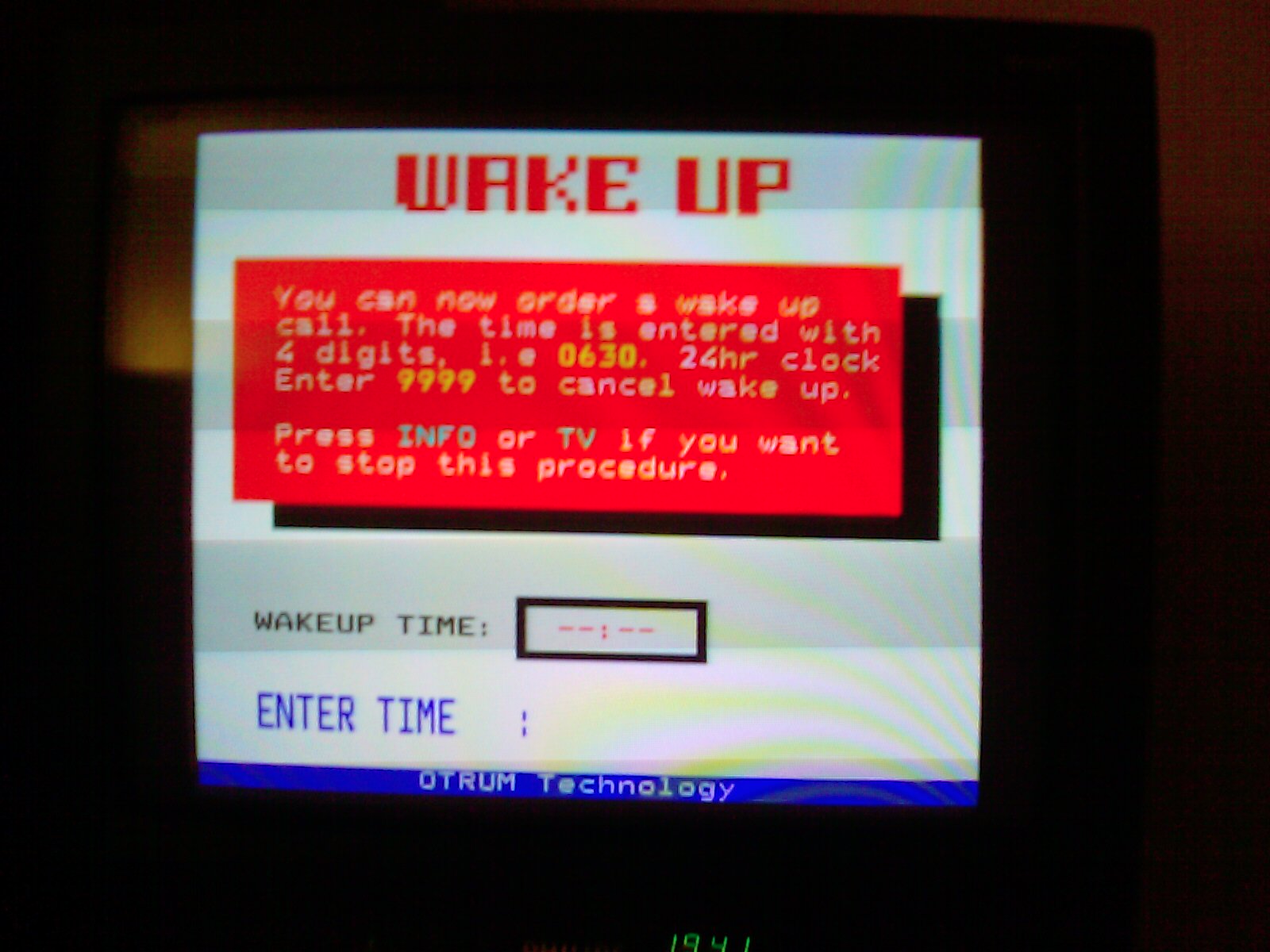
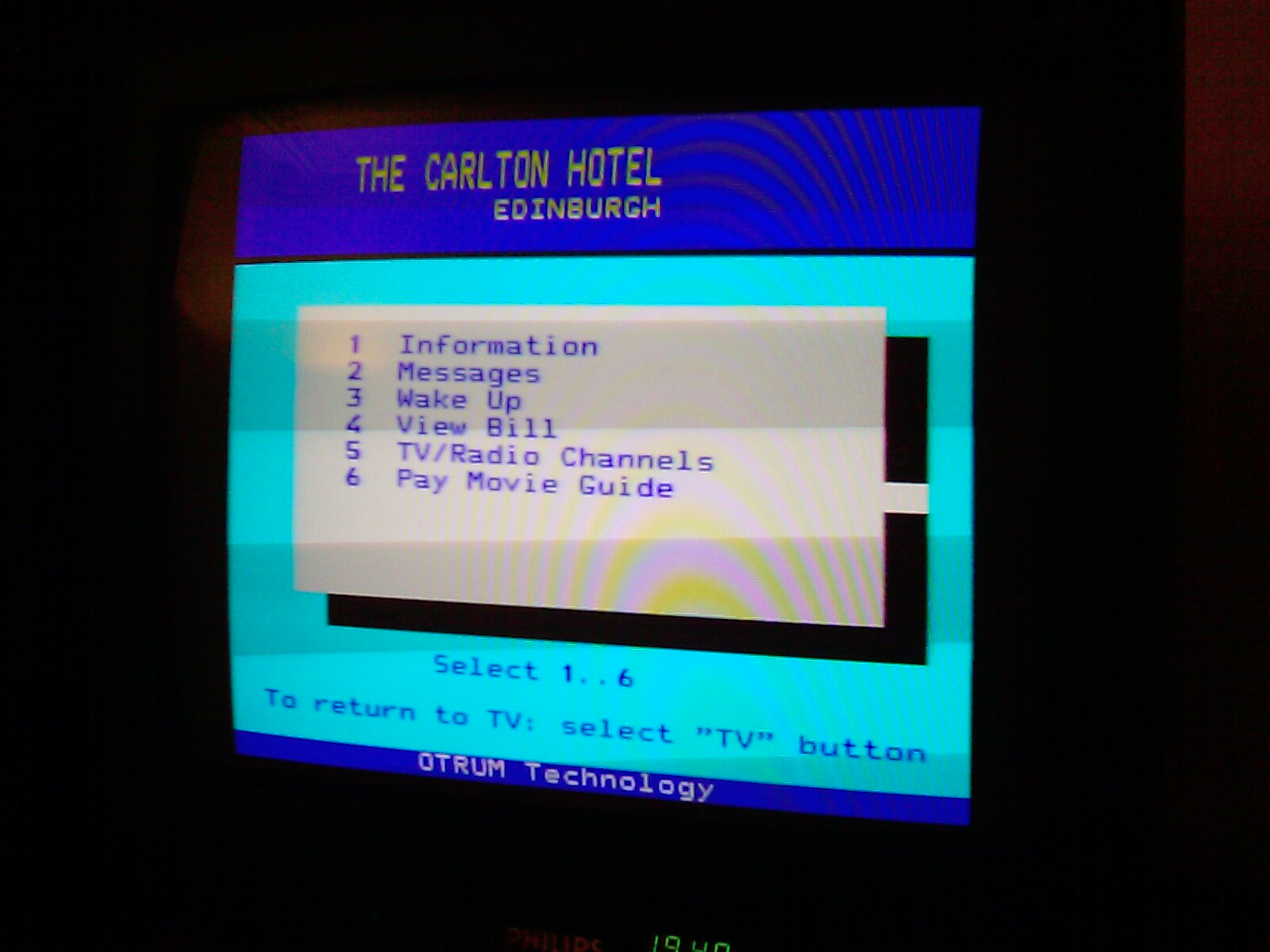
So my hotel room in Edinburgh is tiny, but decent enough. I realized that it was missing things I’ve come to expect in a hotel room, such as an alarm clock, but was a bit surprised to see a note saying that I could schedule a wakeup call through the television. I’m fairly used to hotels having interactive TV systems using LodgeNet, which seems to be the standard interactive TV solution, but I don’t recall them offering a wakeup/alarm offering. So, I was a bit surprised when I turned on the little TV in the corner here and discovered what appears to be interactive TV using ancient DOS applications:

DOS app for interactive TV

wake up tv app


For whatever it’s worth, the wake up system actually works quite well. It turns on the TV and very, very gradually turns up the volume. It has helped me gradually wake up each day without any kind of shock to the system. I’m actually now thinking that something like this would be a lot nicer at home than the standard super-annoying alarm clock I use. DOS or no DOS, it’s pretty slick.

The Secret Thinkpad Powerbutton Code To Bring Dead Laptops Back To Life

Two months ago, I got a new laptop. It’s a Lenovo Thinkpad z61t. I actually ordered a t61, but I accidentally got the z61 instead — and, I actually really like it. It’s quite similar to the t61, but a little smaller and lighter. I was worried that the smaller part would be a problem, but I’ve gotten used to it. I really like the fact that it’s much lighter than my old t42. It just makes it seem so much more usable on the go. Lugging out the t42 was always a chore.

Anyway, I was at the Office 2.0 conference today, where I was giving a little presentation on the Techdirt Insight Community, and about an hour before the presentation, I went to find a quiet place to practice the presentation… and discovered that my brand new laptop wouldn’t work. I knew something was wrong when the “sleep” light wasn’t lit. I started to get worried when I plugged in the laptop and the battery light didn’t light up. Then I noticed that even though the machine had been asleep, it was really really hot. Pushing the power button did nothing. No lights were on and nothing seemed to get them to turn on. I pulled out the battery and put it back in and that did nothing as well.

So I called up IBM support and explained the situation. The guy on the other end then let me in on the secret power button code to revive your dead Thinkpad. After assessing the situation (totally dead laptop) he warned me: “Okay, this is going to sound totally bizarre, but I want you to give this a try…” He then had me unplug the AC adapter and take out the battery. Then, you push the power button 10 times in a row at one second intervals. Next, you push and hold the power button for 30 seconds. Then you put the battery back in and push the power button… and she lives. The computer came back, good as ever.

I asked the guy what the power button pushing incantation did and he said “static discharge” so apparently there was some sort of static that caused a short or something. I tried to get the guy to explain in more detail what happened, but he said “dude, you know as much as I do… but your machine is working.”

And so it is.

So, if you happen to have a Thinkpad that suddenly drops completely dead for no reason, try the power button trick.

Forget up, up, down, down, left, right, left, right, B, A. This little code is now the coolest “cheat” code I know…

You Have Got To Be Kidding Me, Windows Mobile

I’ve already written about the ridiculous hoops Microsoft’s mobile operating system has made me jump through, but things only got worse tonight. I had actually reached an uneasy truce with the software, had set it up to my liking, and just about everything was working great. I’d even gone out and tried purchasing a couple of time waster games from Handango (gotta have something to play on long flights).

There were just two small things. The first is that Windows Mobile got caught by the Daylight Savings bug, so that every time I tried to sync it with my computer, it went back to being an hour behind schedule. I looked up how to fix it, but it required upgrading the syncing software to ActiveSync 4.5 rather than 4.0. There were some horror stories about that so I figured I’d survive for a few weeks with the clock being an hour off.

The other thing was that, as a few people had suggested, it’s not all that easy to scroll through your address book to make calls — especially when driving. So I figured I’d bite the bullet and get some voice recognition software. I bought one at Handango for $6… but it wouldn’t install. Every time I tried, it would cancel itself in the middle with no explanation. Over to the manufacturer’s website, and they note that I have the wrong version of Windows Mobile, but Sprint has an easy download upgrade package. Ah, great. And it’s just a minor upgrade 5.1.170 to 5.1.195. How much could possibly go wrong (hint: foreshadowing).

Yeah, so I click the link, download the 45 meg (that should have been a warning sign) upgrade file, and give a whirl… What does it do? It resets the entire phone. Suddenly everything I had set up, all the contacts I had put in, all the software I had bought and installed… gone. And, even better… I can’t get it to sync at all. What’s the problem? Well, it needs ActiveSync 4.5 rather than 4.0 — so I need to upgrade. Another big download, another crazy install process… and it requires me to restart my computer. Go do the reboot, and then… it’s still cranky. I do get my contacts back in (phew), but that’s it. It refuses to admit that any of my old software exists. In fact, the ActiveSync is downright rude about it:

“If a program you installed is not listed, the program was not designed to be used with your mobile device.”

Well, that’s just wrong. Not only was most of the software designed to work with my mobile device IT WAS WORKING with my mobile device until you pushed me to upgrade. The software files are still listed in the ActiveSync directory on my computer, but ActiveSync itself insists they don’t exist.

This isn’t exactly making me a fan of Microsoft’s mobile efforts…

On the plus side, the new versions of these software (a) have a built in voice dialing ($6 wasted apparently) and (b) no longer requires me to sync my email (which I never wanted to do in the first place). But, I’d rather just have kept my programs working (crazy as that may sound). Hell, even just being able to reinstall them would be nice.

All These Years And Mobile OS’s Still Suck?

Yikes.

Okay, so a little known secret is that I’ve actually been using the same mobile phone since either 1999 or 2000. I forget exactly when I got it, but it was a long time ago. It’s a Samsung 3500, a phone that was popular back in the day before things like (gasp!) color screens, let alone fancy features like cameraphones.

my ancient phone

It’s not quite as bad as it sounds… The day the first Danger Hiptop/T-Mobile Sidekick came out I got that, and continued to use that as a data only device, until even that seemed old and pretty beat up.

Last year, Sunnia got me a PPC 6700 through a discount at work, but I couldn’t transfer my phone number to it until today. I’ve been using that as a data device only… and while there were a few annoyances, I didn’t pay much attention since it wasn’t really “my phone.” Earlier this week, however, I switched the number over… and realized I would need to enter all the phone numbers in from the old phone. I never expected them to be transferable, but I did expect that I’d somehow be able to type them in on my computer and transfer to the phone.

No such luck… unless you’re using Microsoft Outlook, which I don’t use and don’t have on this computer. In fact, every time I now plug the PPC 6700 into my computer it complains to me that my default email client is not Outlook and tells me I need to fix that and then serves up the ever friendly “OK” button (no other choices). Thing is, it’s not okay. I don’t want to use Outlook, and yet here I’m being told I need to. (Not that they seem to care any more, but it seems like this is exactly the sort of thing that the Justice Department was looking for when claiming Microsoft leveraged its monopoly position in forcing people to use other apps…)

So, instead, I’m killing my evening typing in each of the numbers and names by hand on the little keyboard on the PPC 6700… and, again, I’m discovering some idiotic decisions made by Microsoft. If I click on the part of the contact info that is for a phone number, why can’t it recognize that I’m probably typing a number, rather than relying on me to press the “red dot” button to let it know that I’m writing a number (on the PPC, the top row of letters, QWERTY…, have the numbers as the secondary option, which only work if you press down that red button).

You would think that, over the past 8 or so years that they’ve had to perfect this stuff they would have worked out a few of these kinks already…